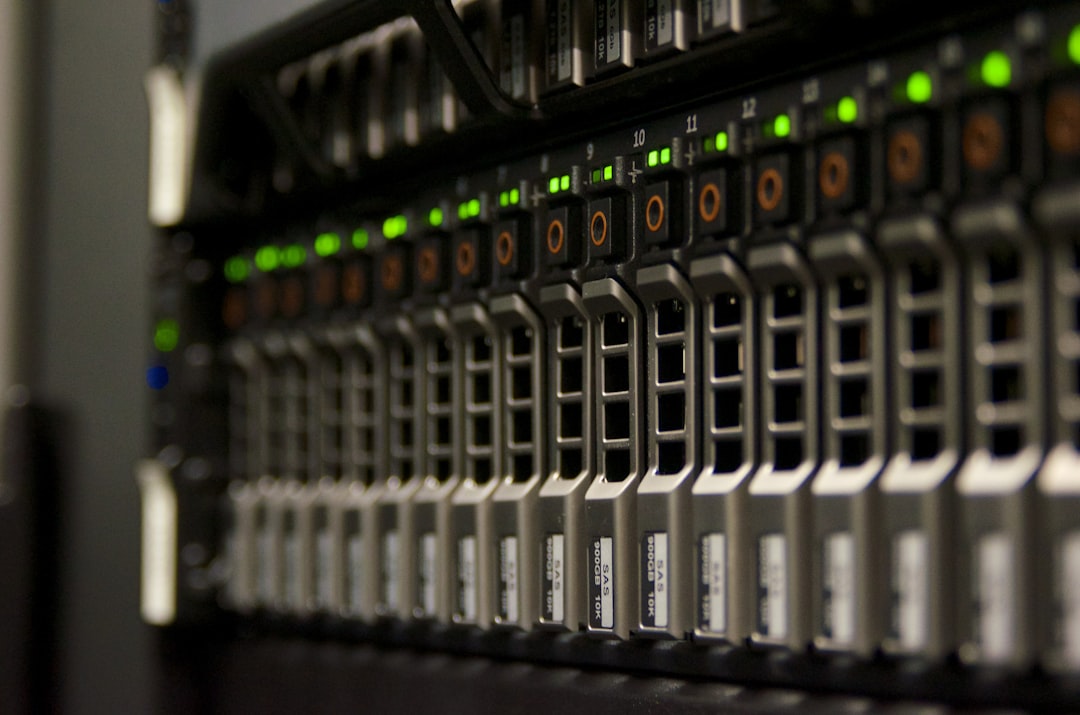
Photo by Domaintechnik Ledl.net on Unsplash
Local AI Infrastructure Best Practices
15 best practices for running AI on your own hardware — from workload-first design and GPU memory optimisation to model lifecycle management, LLM serving stacks, capacity planning, and hybrid strategy.
Running AI models on hardware you control — on-premises servers, private cloud, on-prem Kubernetes, or air-gapped environments — gives you control over data residency, latency, cost at scale, and compliance posture. But local deployment does not automatically mean a well-designed deployment. Most teams that struggle with local AI infrastructure make the same structural mistakes: they buy hardware before measuring workloads, run everything on one undifferentiated pool, skip proper model lifecycle management, and treat security as an afterthought.
This guide covers 15 concrete best practices for building local AI infrastructure that is reliable, governable, and designed to grow. The recommendations apply whether you are standing up a single inference node or designing a multi-team GPU cluster.
1. Start from workload requirements, not hardware
Define the workload before buying GPUs or designing the cluster.
| Workload | Main bottleneck | Infrastructure priority |
|---|---|---|
| LLM inference | GPU memory, KV cache, latency, batching | Model-serving stack, GPU memory efficiency, autoscaling |
| Fine-tuning | GPU memory, interconnect, data pipeline | Multi-GPU scheduling, fast storage, experiment tracking |
| RAG / enterprise search | Embedding throughput, vector DB latency, data freshness | Data governance, indexing pipelines, observability |
| Agents / tool use | Reliability, sandboxing, secrets, permissions | Security boundaries, audit logs, rate limits |
| Batch AI jobs | Queueing, utilisation, scheduling fairness | Job scheduler, quotas, spot/preemptible handling |
A common mistake is to “buy big GPUs” before measuring request rate, context length, model size, latency target, uptime needs, and data sensitivity. The hardware decision should be a conclusion, not a starting point.
2. Use Kubernetes only when you need it
For a small local setup, Docker Compose or a single-node inference server is often enough. Move to Kubernetes when you need multi-node scheduling, GPU sharing, autoscaling, canary rollouts, queueing, multi-team isolation, or standardised deployment.
Kubernetes has native GPU resource scheduling support, but GPUs must be exposed as extended resources through device plugins, and GPU requests are typically specified as limits in pod specs. For larger AI clusters, specialised schedulers such as Volcano and Ray/KubeRay are often used because training jobs need gang scheduling, while inference workloads are latency-sensitive and often benefit from autoscaling and GPU sharing.
Rule of thumb: one machine for experimentation, a small containerised stack for team prototypes, and Kubernetes once multiple services or teams compete for GPU capacity.
3. Separate training, inference, and data workloads
Do not run everything on the same undifferentiated GPU pool. Training, batch embedding, real-time inference, and evaluation jobs have different scheduling and reliability requirements.
A well-structured local AI infrastructure usually has distinct pools:
- Inference pool: stable, low-latency, autoscaled, production-serving GPUs.
- Batch pool: embeddings, evaluations, data processing, offline jobs.
- Training / fine-tuning pool: larger GPUs, longer jobs, checkpointing.
- CPU / data pool: ETL, vector indexing, feature processing, API services.
- Sandbox pool: isolated execution for agents, tools, and untrusted code.
This makes capacity planning easier and prevents long training jobs from starving production inference. It also makes it easier to apply different security boundaries to different workload types.
4. Choose a serving stack designed for AI, not just a web server
A Flask or FastAPI wrapper around model.generate() is not a production LLM serving stack. For real deployments, use systems that handle batching, KV-cache memory, streaming, quantisation, and multi-GPU parallelism.
Strong options:
- vLLM for high-throughput LLM serving. Its key features include PagedAttention, continuous batching, prefix caching, quantisation, OpenAI-compatible APIs, tensor/pipeline/data/expert/context parallelism, and support for NVIDIA, AMD, CPU, and other backends.
- NVIDIA Triton Inference Server for mixed model serving, especially when serving classical ML, vision, ONNX, TensorRT, Python, and ensemble pipelines. Triton supports dynamic batching, which combines inference requests to improve throughput and utilisation.
- KServe when you want Kubernetes-native model serving with standardised inference APIs, GPU acceleration, scale-to-zero, and multi-framework support.
- Ray Serve for distributed, programmable serving and LLM deployments with OpenAI API compatibility and production scaling features.
For most local LLM deployments, start with vLLM for LLM inference, Triton for heterogeneous model serving, and KServe or Ray Serve only when the deployment grows into a platform.
5. Optimise for GPU memory first
For local AI, GPU memory is usually the limiting factor. A 7B or 8B parameter model may run comfortably on a single consumer GPU, while larger models require quantisation, tensor parallelism, or multiple GPUs.
Best practices for GPU memory:
- Prefer smaller models that meet the task quality bar — do not run a 70B model for tasks a 7B handles well.
- Use quantisation where acceptable: INT8, INT4, AWQ, GPTQ, FP8, or GGUF depending on the framework and quality tolerance.
- Use continuous batching for throughput.
- Enable prefix caching for repeated system prompts or RAG templates.
- Track KV-cache usage, especially for long-context workloads.
- Benchmark with realistic prompt lengths, not toy prompts — the difference matters enormously for memory planning.
The vLLM / PagedAttention approach showed that inefficient KV-cache memory management is what limits batch size in naive serving implementations. PagedAttention reduced KV-cache waste and improved throughput significantly compared with prior systems.
6. Treat networking and storage as first-class infrastructure
For single-node deployments, storage and networking are often ignored. For multi-GPU and multi-node local infrastructure, they become critical.
Priorities:
- Use fast local NVMe for model weights and cache.
- Keep model artefacts in a versioned registry or object store.
- Avoid pulling huge model weights on every pod start — pre-stage or cache weights on nodes.
- Pre-warm models before routing production traffic.
- Use high-bandwidth networking for multi-node training or distributed inference.
- Separate management, storage, and inference traffic where possible.
NVIDIA’s enterprise AI factory architecture emphasises horizontal scalability, elastic compute, enterprise Kubernetes, high-performance networking, and infrastructure security acceleration as design priorities for large AI infrastructure.
7. Build a proper model lifecycle
Local AI infrastructure should have a model lifecycle similar to software release management.
Recommended flow:
- Model intake: licence check, source verification, checksum, safety review.
- Evaluation: quality, latency, cost, bias/safety, task-specific benchmark.
- Packaging: container image, serving config, tokeniser, prompt template.
- Staging: load test with production-like traffic.
- Deployment: canary rollout or shadow traffic.
- Monitoring: latency, errors, hallucination indicators, GPU use, cost.
- Rollback: keep previous model and routing config available.
- Retirement: remove unused weights, indexes, and old embeddings.
Avoid “download a model and point production at it” workflows. A model that has not been evaluated, packaged, and staged is a support burden, not an asset.
8. Secure the AI system, not just the server
Local AI does not automatically mean secure AI. You still need to protect prompts, tools, logs, model outputs, embeddings, and data connectors.
The OWASP LLM Top 10 is the baseline for application-layer risk: prompt injection, sensitive information disclosure, supply-chain risks, excessive agency, vector and embedding weaknesses, insecure output handling, and unbounded consumption are all relevant to local deployments.
Practical controls:
- Keep system prompts, secrets, and tool credentials outside the model context where possible.
- Never give an agent broad filesystem, shell, email, CRM, or database access by default.
- Use scoped credentials and short-lived tokens.
- Log tool calls and data access.
- Sanitise retrieved documents before sending them to the model.
- Apply output validation before executing generated SQL, shell, JSON, code, or API calls.
- Rate-limit expensive inference paths.
- Put agent tools behind explicit allowlists.
The NIST AI Risk Management Framework Generative AI Profile is also a useful reference for mapping, measuring, managing, and governing generative AI risks at the organisational level.
9. Design for data privacy and governance
For local infrastructure, the primary benefit is often control over sensitive data. Make that control real, not just notional.
Best practices:
- Classify data before it enters AI pipelines.
- Keep separate indexes for public, internal, confidential, and regulated data.
- Apply row-level and document-level authorisation before retrieval — the model must never see documents the requesting user is not allowed to see.
- Encrypt model caches, vector stores, logs, and backups.
- Redact or hash sensitive values in observability systems.
- Keep audit logs for retrieval, tool use, and administrative actions.
- Define retention rules for prompts, completions, embeddings, and traces.
For RAG systems, permission-aware retrieval is essential: the vector database should never return documents the user is not authorised to access. This is an infrastructure control, not a prompt instruction.
10. Monitor AI-specific metrics
Traditional uptime and CPU metrics are not enough for AI infrastructure.
| Layer | Metrics |
|---|---|
| GPU | utilisation, memory used, memory fragmentation, temperature, power |
| Serving | time to first token, tokens/sec, queue time, p50/p95/p99 latency |
| Model | prompt tokens, completion tokens, context length, refusal rate |
| RAG | retrieval latency, top-k relevance, empty retrievals, stale documents |
| Quality | task success, human feedback, eval scores, regression tests |
| Safety | blocked prompts, policy violations, tool-call denials |
| Cost | GPU-hours, tokens per GPU-hour, idle capacity |
Dynamic batching improves throughput, but it can also increase tail latency. Always benchmark p95 and p99 latency, not just average latency. Tail latency is where real user experience lives.
11. Use evaluations as deployment gates
Every model, prompt, retrieval pipeline, or quantisation change should pass evaluation before it reaches production.
Minimum evaluation suite:
- Golden task set for your real use cases.
- Regression tests for known failure cases.
- Latency and throughput tests.
- Long-context tests.
- RAG faithfulness tests.
- Tool-use safety tests.
- Prompt injection tests.
- Sensitive-data leakage tests.
- Human review for high-impact workflows.
For local AI, quantisation and serving optimisations can change model behaviour. Do not assume a quantised model is functionally identical to the original — always evaluate.
12. Plan capacity using tokens, not requests
For LLM infrastructure, “requests per second” is too coarse a metric. A request with 500 input tokens and 100 output tokens is very different from one with 100,000 input tokens and 2,000 output tokens.
Capacity planning should model:
- Input tokens/sec and output tokens/sec.
- Average and worst-case context length.
- Concurrent users and expected batch size.
- Time-to-first-token target and tail-latency target.
- GPU memory per model replica.
- KV-cache growth with context length.
- Model warmup time.
- Peak vs average load ratios.
This is especially important for long-context models because KV-cache memory grows with sequence length. A model that runs fine at 8K context may OOM at 32K context without changes to serving configuration.
13. Keep local AI reproducible
You should be able to recreate any production answer path. This means versioning everything that affects inference output:
- Model weights and tokeniser.
- Prompt templates and system prompts.
- Retrieval code and embedding model.
- Vector index build and dataset snapshot.
- Inference engine version and quantisation method.
- Runtime container image.
- Tool definitions and safety policy.
Without this, debugging model regressions becomes nearly impossible. Two identical-looking responses may have come from different model versions, different retrieved documents, or different prompt templates.
14. Prefer modular architecture
A clean local AI stack has clear separation of concerns:
User / Application
      ↓
API Gateway / Auth / Rate Limits
      ↓
AI Orchestrator
      ↓
Prompt + Policy Layer
      ↓
Retriever / Tools / Memory
      ↓
Model Serving Layer
      ↓
GPU / CPU Infrastructure
      ↓
Observability + Audit Logs
Keep the model-serving layer separate from business logic. This lets you swap models, change serving engines, add guardrails, or move some workloads to cloud APIs without rewriting the application. Each layer should be replaceable independently.
15. Have a hybrid strategy even if “local-first”
A strong local AI infrastructure does not have to mean “never use cloud.” A practical hybrid approach:
- Local models for sensitive, high-volume, low-latency, or predictable tasks.
- Cloud frontier models for rare, complex, or high-reasoning tasks.
- Local embeddings and retrieval for private data.
- Cloud fallback only through policy-controlled routes.
- Explicit data classification rules determining what can leave the environment.
This avoids overbuilding local infrastructure for workloads that are occasional or economically better served by APIs. The goal is control, not isolation.
Recommended baseline stack
For a serious local AI platform, a reasonable starting point:
| Area | Suggested baseline |
|---|---|
| Runtime | Linux + containers |
| Small deployment | Docker Compose or Nomad |
| Larger deployment | Kubernetes |
| LLM serving | vLLM |
| Mixed model serving | NVIDIA Triton |
| Kubernetes model serving | KServe or Ray Serve |
| Vector DB | Postgres/pgvector, Qdrant, Milvus, Weaviate, or OpenSearch depending on scale |
| Observability | Prometheus, Grafana, OpenTelemetry, structured logs |
| Artefact storage | S3-compatible object store or internal artefact registry |
| Secrets | Vault, cloud KMS, SOPS, or Kubernetes secrets with encryption at rest |
| Evaluation | Custom golden sets plus automated regression tests |
| Security baseline | OWASP LLM Top 10 + NIST AI RMF |
The highest-impact practices
If you only implement a subset of these practices, prioritise the following:
- Benchmark with realistic prompts and concurrency — toy prompts produce misleading capacity numbers.
- Use a real LLM serving engine — a Flask wrapper around
generate()is not serving infrastructure. - Track tokens/sec, time-to-first-token, GPU memory, queue time, and p95/p99 latency — these are the metrics that matter.
- Separate inference, training, batch, and sandbox workloads — undifferentiated pools cause production instability.
- Treat RAG permissions as infrastructure — not prompt instructions, not application-layer checks.
- Version model weights, prompts, indexes, and the inference engine together — reproducibility requires the full stack.
- Implement OWASP-style LLM security controls before connecting tools or private data — security is not optional.
- Start simple, but design clear upgrade paths — a single-node vLLM server is a legitimate starting point, but the architecture should accommodate multi-GPU and multi-node growth without a rewrite.
The organisations that build local AI infrastructure well tend to treat it like any other production system: workload-driven, measurable, versioned, and governed. The ones that struggle treat it like a prototype — because that is what it started as, and they never made the transition.
For organisations building on-premise AI platforms with strict data governance requirements, these practices also form the foundation of the security and compliance controls that make local AI trustworthy, not just technically operational.
Frequently Asked Questions
What is local AI infrastructure?
Local AI infrastructure means running AI models — inference, fine-tuning, embeddings, and agents — on hardware you control: on-premises servers, private cloud, or air-gapped environments, rather than relying entirely on third-party API providers. It gives organisations direct control over data, latency, cost at scale, and compliance posture.
Should I use Kubernetes for local AI?
Not necessarily. For small teams or single-node setups, Docker Compose or a single inference server is often enough. Move to Kubernetes when you need multi-node GPU scheduling, multi-team isolation, autoscaling, canary rollouts, or standardised deployment. The rule of thumb: one machine for experiments, containers for team prototypes, Kubernetes when multiple services or teams compete for GPU capacity.
What is the best serving stack for local LLM inference?
For pure LLM inference, vLLM is the strongest starting point: it implements PagedAttention, continuous batching, prefix caching, quantisation, and OpenAI-compatible APIs with NVIDIA, AMD, and CPU backends. Use NVIDIA Triton when serving a heterogeneous mix of models (ONNX, TensorRT, classical ML, vision). Add KServe or Ray Serve when you need Kubernetes-native lifecycle management or scale-to-zero.
How do I plan capacity for a local LLM deployment?
Plan in tokens, not requests. A request with 500 input tokens is very different from one with 100,000 input tokens. Model the input tokens/sec, output tokens/sec, average and worst-case context length, concurrent users, expected batch size, time-to-first-token target, tail-latency target, GPU memory per replica, KV-cache growth, model warmup time, and peak vs average load.
How do I secure a local AI deployment?
Local AI does not automatically mean secure AI. Use the OWASP LLM Top 10 as the baseline: guard against prompt injection, sensitive information disclosure, supply-chain risks, excessive agency, and insecure output handling. Practically: keep secrets outside the model context, use scoped short-lived credentials, log all tool calls, sanitise retrieved documents, validate generated SQL/code/shell before execution, and put agent tools behind explicit allowlists.
Plan your on-prem AI deployment
Book an architecture call and we will scope a private, on-prem AI deployment for your environment — integrations, hardware, and governance included.