PLAYBOOK · AUTOMATION
Make n8n and CrewAI first-class tools inside VDF AI Networks.
You already have automation: n8n flows, CrewAI crews, internal Python jobs. Don't replace them — let VDF AI orchestrate them. Register each workflow as a Custom HTTP tool; VDF AI exposes it via the internal MCP server, discovers its capabilities, and composes it with native agents.
Most enterprises already run several automation stacks — n8n for integrations, CrewAI for agent prototypes, Airflow or Step Functions for batch. The question is not which one to keep. The question is which orchestration plane sees them all. VDF AI Networks become that plane, treating every workflow you already built as a typed tool an agent can select.
The problem
Workflows and agent platforms live in silos
n8n knows how to fetch and post. CrewAI knows how to plan. Neither was built to orchestrate the other, or to be governed by a self-evolving router that sees energy, cost, and capability across the whole stack.
The VDF AI approach
One MCP plane over all your automation
Register each n8n webhook or CrewAI crew as a typed HTTP tool. VDF AI's Agent Hub serves it through its internal MCP server (port 7001) alongside the 44 built-in tools. Networks pick it up like any other capability.
WHY THIS MATTERS NOW
Workflows are capabilities, not destinations
Tooling proliferation is a fact, not a problem to solve. The cost shows up when no system can see the others — when an agent in CrewAI cannot ask an n8n flow to run, when an n8n flow cannot wait on an agent reasoning step, and when neither can be governed under a single audit trail.
VDF AI registers each automation as a Custom HTTP tool. The internal MCP server publishes the tool catalogue. SEEMR learns which workflow handles which sub-intent best. The end state: your investments stay live, but they answer to one routing fabric.
WHAT YOU NEED TO START
Prerequisites for a pilot
Existing automation
- n8n self-hosted or cloud webhook URLs
- CrewAI exposed via FastAPI or Flask
- Optional: Airflow DAGs behind REST
- Service-account credentials per stack
VDF AI surface
- Agent Hub with ENABLE_DB_REGISTRY=true
- Network access to webhook endpoints
- Domain configured for the new tools
- Optional: rate-limit policy per tool
People
- One owner per automation stack
- One AgentsHub admin
- Optional: an SRE for failover testing
REFERENCE ARCHITECTURE
Workflows become tools become networks
Webhook endpoints
tool_catalog · type=http
Agent Hub :7001
HTTP-exposed
parameters_schema
Capability discovery + SEEMR routing
PLAYBOOK · STEP BY STEP
From local automation to orchestrated capability
Expose your n8n flow as a webhook
Add a Webhook trigger to your n8n flow. Test the URL, capture the JSON input/output shape — that becomes your parameters schema.
Wrap CrewAI behind a tiny FastAPI
CrewAI runs as Python. A 30-line FastAPI wrapper exposes POST /crew/run. That's all VDF AI needs to call it.
Register both as Custom HTTP Tools
POST /api/tools/http
{
  "tool_name": "n8n_invoice_extract",
  "endpoint_url": "https://n8n.internal/webhook/invoice",
  "http_method": "POST",
  "parameters_schema": { "type":"object", "properties": { "file_url": {"type":"string"} }, "required": ["file_url"] }
}
Agent Hub stores the tool with tool_type='http' and merges it into GET /api/tools.
Let VDF AI discover capabilities
Networks v3 reads each tool's schema and description, then ranks it during intent decomposition. Your workflows become candidates the planner can pick from automatically.
Orchestrate with a Network
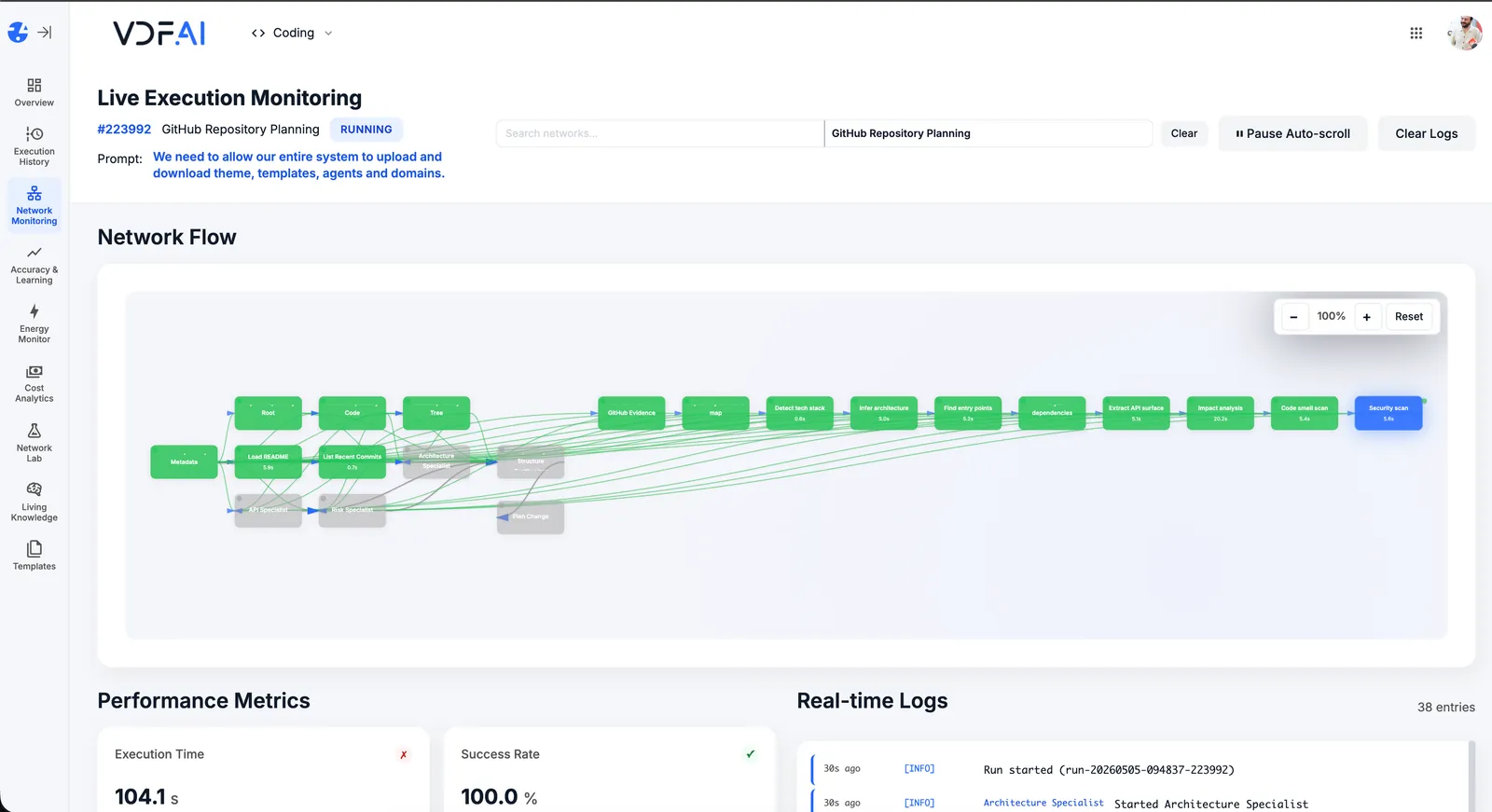
Build a Network in Network Labs that combines built-in MCP tools, your n8n flows, your CrewAI crews, and VDF agents. SEEMR learns which tool produces the best result for each sub-intent.
OUTCOMES
Keep what works, orchestrate everything
workflows rewritten — your n8n and CrewAI investments stay intact.
orchestration plane across legacy automation and modern agents.
learns which workflow wins which sub-task — no manual routing rules.
SEEMR REFERENCE
Self-evolving routing across every tool
Whether the next step calls a built-in MCP, an n8n flow, or a CrewAI crew, SEEMR picks the one that matches the run's cost, latency, and energy constraints.
FREQUENTLY ASKED QUESTIONS
What teams ask before shipping this playbook
Do my n8n flows need to be redesigned?
No. Any flow that begins with a Webhook trigger is already shaped like an HTTP tool. Add a Webhook node, return a JSON response, and you are done.
How does CrewAI fit in?
Wrap your CrewAI crew behind a small FastAPI endpoint that receives input JSON and returns the crew result. Register that endpoint as a Custom HTTP tool. From then on, VDF AI Networks can call the crew like any other capability.
What if a workflow takes minutes to complete?
Use long-running tool patterns: return an immediate run identifier and let the agent poll a status endpoint, or use async webhooks. VDF AI supports both patterns through tool configuration.
How does VDF AI pick the right tool?
Networks v3 uses each tool's description plus schema during intent decomposition. Better descriptions yield better picks. SEEMR refines the choice over time based on actual outcomes.
Can I keep using n8n's native scheduling?
Yes. The n8n cron remains the trigger for periodic work. VDF AI is for the on-demand or agent-initiated paths.
Are there security implications?
You control them. Custom HTTP tools enforce auth, secrets management, and rate limits inside AgentsHub. External webhooks should be IP-allowlisted or signed.
RELATED PLAYBOOKS
Continue with related VDF AI patterns


GET IN TOUCH
You Have Questions
Tell us what you’re trying to achieve—governed AI Networks, enterprise RAG, deep integrations, or on‑premise deployment. We’ll help you map the right architecture, security posture, and rollout path. If you’re moving beyond AI pilots and need scalable, auditable execution, reach out—our team is ready to help.